 Transcriber
Documentation is eating work time. Professionals consistently spend hours on paperwork for every hour of actual work — typing up what was just said out loud moments earlier. Traditional fixes have real drawbacks: human transcription services are slow and expensive, enterprise dictation suites cost hundreds per seat per year, and consumer cloud dictation apps stream sensitive information to third-party servers.
Transcriber offers a simpler path: a dictation app that runs entirely on your iPhone. Speak your note, watch it appear as text in real time, and copy it wherever you need it — with no audio ever leaving the device. This guide walks through how professionals actually use it day to day.
What Is a Professional Dictation App?
A professional dictation app converts spoken notes into text you can file or share — meeting summaries, reports, memos, correspondence. The categories differ sharply in how they handle your audio:
- Transcription services send recordings to human typists or cloud AI. Turnaround ranges from minutes to days, costs scale with volume, and sensitive audio sits on external systems.
- Enterprise dictation platforms integrate with existing systems and offer specialised vocabularies, at enterprise prices and with cloud processing.
- On-device dictation apps like Transcriber do the speech recognition on the phone itself. Text appears instantly, nothing is uploaded, and the cost is a consumer subscription — free to start, $9.99/month or $49.99/year for unlimited use.
The privacy point deserves emphasis: with on-device processing there is no server to secure and no recording retained anywhere unless you choose to save the text. For sensitive professional content, that architectural guarantee is stronger than any policy promise.
How to Use Transcriber for Professional Dictation
- Install and open. Get Transcriber free on the App Store. No account, no setup — open it and start.
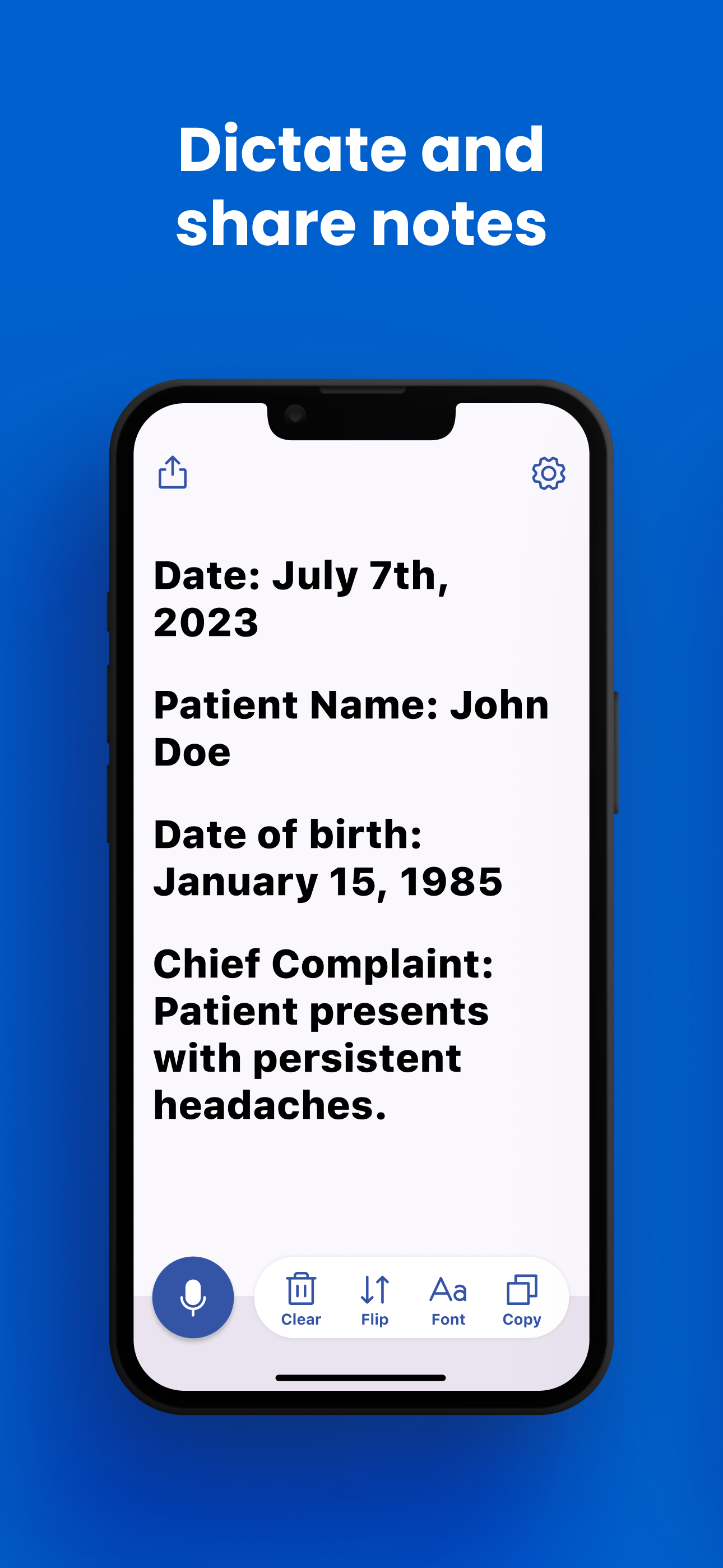
- Switch to Notes mode. This is the dictation-optimized view: hands-free capture into a clean document you can edit, copy, and share.
- Dictate naturally. Tap the microphone and speak your note as you would to a scribe: "Meeting summary: we agreed on a Q3 launch date, budget to be confirmed…" Punctuation is handled automatically; the text builds on screen in real time so you can verify as you go.
- Dictate while your hands work. Because no button needs holding, professionals narrate while on the move, reviewing work, or walking between rooms. Prop the phone on the desk and talk.
- Review on screen. The instant transcript means errors are caught immediately, not discovered in tomorrow's queue. Correct anything unusual — proper names and rare drug names are the usual suspects — before filing.
- Copy into your tool. Tap Copy and paste the note into your preferred tool — a doc, email, CRM, or project management app. Or use Share to send it directly.
- Reuse it across devices. The same app runs on iPad and Mac (Apple Silicon), so field work on an iPad and office dictation on a Mac use one tool and one subscription.
Team members use the same flow for meeting notes and reports; students use it to capture write-ups while details are fresh.
Tips for Best Results
- Dictate promptly. The two minutes right after an event produce a better note than reconstruction hours later. Transcriber's zero-setup start makes this habit easy.
- Say punctuation-heavy structures as sentences. Short, complete sentences transcribe more cleanly than long rambling clauses.
- Spell out unusual names once. For uncommon names or terms, a quick spelling in the dictation saves editing time.
- Find a quiet corner for complex notes. Background noise mostly gets ignored, but a quiet room is worth it for long, detailed content.
- Bonus: use live mode with hard-of-hearing colleagues or clients. Many professionals discover Transcriber's conversation mode doubles as a communication aid — see our guide for deaf and HOH communication.
Frequently Asked Questions
Transcriber processes all speech on the device — no audio or text is transmitted to any server, which removes the biggest privacy risk in dictation. Whether it satisfies your specific organisational and regulatory requirements is a determination your team should make, but on-device processing is the strongest possible starting point.
General professional vocabulary transcribes well. Very rare terms or new proper nouns may need a quick correction; dictating in complete sentences and reviewing on screen keeps this painless.
Yes. Once you tap the microphone, capture is continuous and hands-free. Prop the phone on a desk or keep it in your coat pocket area and narrate; stop it when you're done.
Tap Copy and paste into any charting field, on iPhone, iPad, or Mac. With Apple's Universal Clipboard, a note dictated on your iPhone can be pasted directly on your Mac seconds later.
The app is free to download and try. Unlimited dictation is $9.99/month or $49.99/year — a fraction of the cost of transcription services or enterprise dictation licenses.
Download Transcriber Free
Real-time speech to text in 50+ languages. Free to start on iPhone, iPad, Mac, and Apple Vision Pro.
Download on the App Store